

Working from home sounds relaxing until your setup starts affecting your focus.
A bad workspace can make you feel:
- tired faster
- distracted
- uncomfortable
- unmotivated
The good news is that improving a home office doesn’t always require expensive equipment.
Small affordable upgrades can make a huge difference in:
- comfort
- productivity
- organization
- focus
That’s exactly why home office content is growing so fast in the US right now.
More people are working remotely, freelancing, studying online, or building side hustles from home.
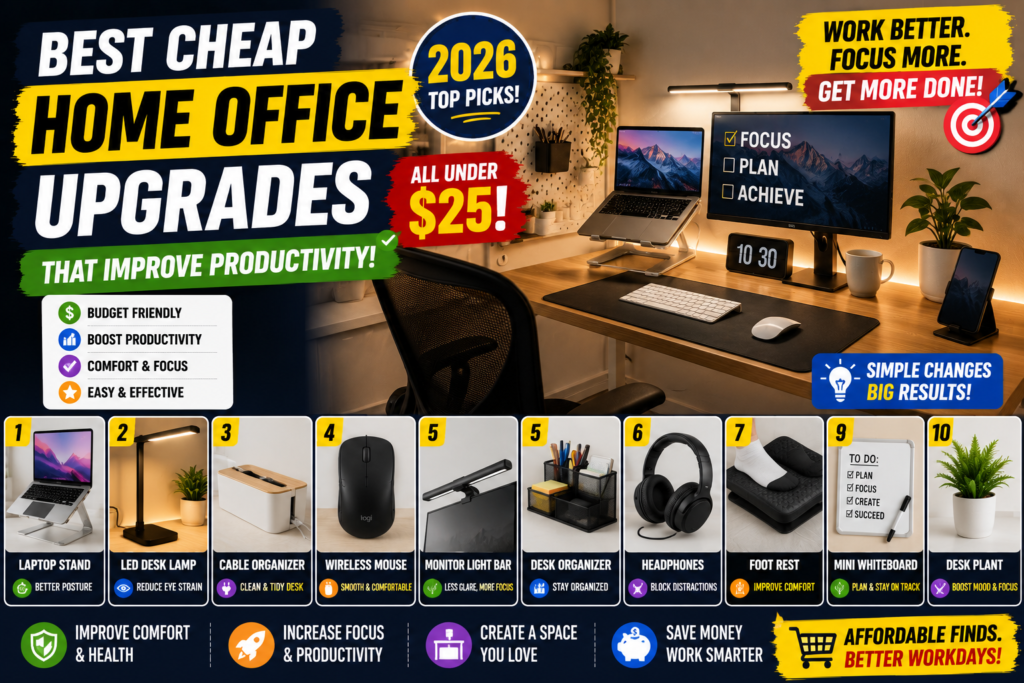
Here are some cheap home office upgrades that are actually worth buying in 2026.
1. Laptop Stand
One of the easiest productivity upgrades.
Laptop stands help improve:
- posture
- airflow
- desk organization
Working with a screen that’s too low can cause neck pain surprisingly fast.
Many remote workers now combine laptop stands with:
- wireless keyboards
- external mice
for a cleaner setup.
2. LED Desk Lamp
Lighting affects focus more than people realize.
A good desk lamp helps reduce:
- eye strain
- headaches
- dark workspace fatigue
Warm lighting usually feels more relaxing for long work sessions.
Especially useful for:
- late-night work
- studying
- editing
3. Cable Management Box
Messy cables instantly make a workspace feel stressful.
Cable organizers help hide:
- chargers
- extension boards
- USB hubs
- wires
Simple upgrade, but it makes setups look much cleaner.
4. Wireless Mouse
Trackpads are fine temporarily, but many people work faster with a proper mouse.
Benefits:
- better comfort
- easier editing
- smoother workflow
Affordable wireless mice are much better now compared to older budget models.
5. Monitor Light Bar
This became very popular recently.
A monitor light bar adds focused lighting without taking desk space.
Good for:
- nighttime work
- eye comfort
- minimal desk setups
Aesthetic and practical at the same time.
6. Desk Organizer Tray
Clutter destroys focus.
Simple trays help organize:
- pens
- notebooks
- chargers
- sticky notes
- gadgets
Minimal setups usually feel calmer and easier to work in.
7. Noise Canceling Headphones
Background noise becomes exhausting during long work sessions.
Good headphones help with:
- concentration
- meetings
- editing
- deep work
Especially useful for apartment living or shared spaces.
8. Foot Rest Cushion
Underrated but surprisingly helpful.
Foot rests improve sitting comfort during:
- long meetings
- studying
- editing sessions
Small ergonomic upgrades can reduce fatigue a lot.
9. Mini Whiteboard
A lot of remote workers use mini whiteboards for:
- task lists
- reminders
- content ideas
- schedules
Simple but effective for staying organized.
10. Artificial Desk Plant
Workspaces feel less boring with small decor elements.
Desk plants help create:
- calmer environments
- cleaner aesthetics
- cozy workspace vibes
Even fake plants can improve the overall feel of a setup.
Why Home Office Content Is Growing So Fast
Remote work changed how people think about workspaces.
Now people care more about:
- comfort
- aesthetics
- productivity
- clean desk setups
That’s why:
- desk setup videos
- office makeover content
- productivity setups
perform extremely well online.
Best Home Office Colors in 2026
Trending workspace colors:
- white
- black
- beige
- warm wood
- soft gray
- olive green
Neutral setups usually feel cleaner and less distracting.
Simple Budget Home Office Setup
Affordable productivity setup:
- laptop stand
- desk lamp
- cable organizer
- wireless mouse
- small plant
Budget:
Around $100–$250.
A productive workspace doesn’t need to be expensive.
Sometimes small upgrades improve focus more than expensive gadgets.
The best home office setups are usually:
- clean
- organized
- comfortable
- distraction-free
A setup that helps you stay focused every day is always worth investing in.